







Web Design Tutorial: A Guide for Beginners—From Requirements Planning to Website Launch
【Core Summary】
Goals Before Aesthetics: The biggest bottleneck in web design is failing to define the target audience and primary call-to-action (CTA). Clarifying business logic and content hierarchy must precede template selection.
7-Step Standard Workflow: Avoid costly reworks by following a structured pipeline: Requirements Gathering → Sitemap & Information Architecture → Wireframing & Prototyping → Visual Design System → Content & SEO → Development & System Integration → QA Testing & Launch.
GEO & SEO Alignment: Effective GEO doesn't require "AI keyword stuffing." Focus on answer-engine readability, logical heading structures (H1–H3), clear value propositions, and mobile-first experience so search engines and AI models can accurately parse and cite your content.
DIY vs. Agency Trade-offs: Lightweight portfolios or basic brochure sites suit visual site builders or CMS platforms. Complex platforms requiring custom integrations, e-commerce, or scalable maintenance are better suited for professional agencies.
When building a website for the first time, the biggest roadblock usually isn't choosing colors—it's failing to clarify key questions early on: Who is this website solving a problem for? What should visitors do next once they arrive?
If your goals, content, and features aren't clear, jumping straight into picking templates or designing the homepage often leads to endless revisions. This web design tutorial guides you through every step—from requirements analysis, sitemaps, and wireframes to visual design, development, testing, and launch. We will also cover essential tools and help you decide whether to DIY or hire a professional web design team.
This workflow is ideal for corporate brand websites, personal brand sites, online portfolios, and simple service websites. If you are building a large-scale e-commerce platform, membership site, or a system with complex API integrations, this framework still applies—though technical planning, security, payment processing, and testing will require greater emphasis.
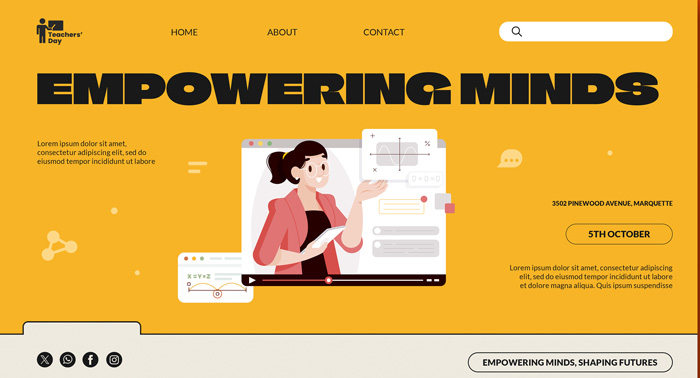
First, Clarify: What is the Difference Between Web Design, UI/UX, and Web Development?
These terms are often used together, but they cover distinct areas of responsibility:
Web Design: Focuses on planning the visual layout, information hierarchy, and interactive elements of a website.
UI (User Interface): Refers to the visual interfaces users interact with directly, such as buttons, menus, forms, and cards.
UX (User Experience): Encompasses the user's overall journey in completing a task—such as how quickly they can find services, understand pricing plans, and contact you.
Web Development: The technical process of turning design specs into a functional website, including front-end code, back-end logic, databases, and third-party integrations.
In short, design answers "Is the information clear and easy to navigate?", while development ensures "Does the website operate reliably, securely, and properly?" In real-world projects, these roles overlap and don't always need to be handled by separate individuals.
Before You Start Designing: Define Your Website's Core Objectives
"Creating a professional-looking website" is a general direction, not an actionable target. Start by answering these questions in a concise one-page brief:
1. Who is your primary target audience? For example, corporate buyers comparing vendors, potential clients evaluating portfolios, or consumers buying directly online.
2. What primary task should the website help them achieve? For example, understanding your services, requesting a quote, booking an appointment, making a purchase, or reading educational content.
3. What is the primary Call to Action (CTA)? Every page should guide visitors toward a contextually relevant next step—not every button needs to say "Buy Now."
4. Which features are truly essential? For example, contact forms, online booking, shopping carts, user login, or multi-language support.
5. How will you measure success? Select Key Performance Indicators (KPIs) aligned with your business goals, such as qualified leads, completed bookings, or direct sales. Metrics like page views and time-on-site help diagnose user experience but shouldn't be the sole measure of success.
Example: If your site goal is generating consultations, focus on presenting core services, ideal clients, process workflows, case studies, and clear contact methods while tracking form submissions or booking conversions. Page views alone won't tell you if you're attracting the right inquiries.
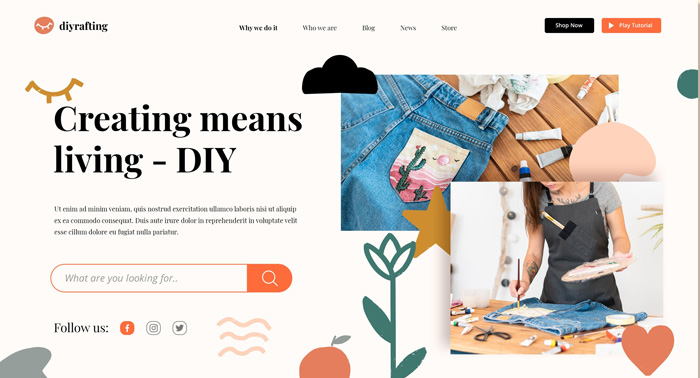
Web Design Process: The 7 Stages from Planning to Launch
Step 1: Define Requirements and Project Scope
Consolidate your goals into a concise project brief. List your target audience, site objectives, key pages, required features, content owners, budget range, and target launch date. When providing reference websites, specify what you like—such as navigation style, content hierarchy, or visual tone—rather than just sending URLs for the designer to guess.
Stage Deliverables: Project brief, feature feature checklist, scope priorities.
Checklist Question: If the budget or timeline gets cut, which features can be deferred to Phase 2?
Step 2: Plan the Sitemap and Information Architecture
A sitemap outlines page relationships, helping you ensure menus and structure are logical. A typical corporate site usually includes: Homepage, Services & Service Details, Case Studies/Portfolio, About Us, FAQ, and Contact/Booking.
Not every site needs all these pages. If a service targets distinct audiences, requires unique decision info, or follows a specific workflow, split it into dedicated pages. If content is sparse, consolidate it. The goal is to help users find answers quickly, not stuff everything onto the homepage.
Stage Deliverables: Sitemap, menu draft, primary mission per page.
Checklist Question: Can a first-time visitor immediately understand your services and know where to click next?
Step 3: Sketch Wireframes and Test Core User Flows
Wireframes define content placement and information hierarchy without getting bogged down in colors, typography, or animations. Next, create a clickable prototype to test if users can complete core tasks smoothly.
For example, ask someone unfamiliar with your business to find service pricing or a quote form on the homepage. Observe where they hesitate, misclick, or need verbal instructions. Simple usability testing uncovers critical architectural flaws long before development begins.
Stage Deliverables: Wireframes of key pages, interactive prototypes, user testing notes.
Checklist Question: Is the primary message placed above the fold? Are key call-to-action (CTA) buttons easily recognizable?
Step 4: Establish Visual Style and Design System Basics
Visual design goes beyond choosing a pretty palette; it ensures brand consistency across all touchpoints. Define logo usage, brand colors, typography, photography guidelines, button styles, and UI spacing rules before applying them to key page layouts.
Key design principles to keep in mind:
- Ensure body text sizes and line spacing remain comfortable to read on mobile devices.
- Maintain sufficient color contrast between text and backgrounds; never rely on color alone to convey error or success states.
- Make CTA buttons visually prominent and easy to tap; keep form error messages clear and helpful.
- Use UI animations only when they enhance understanding—avoid animations that delay interaction or clutter the view.
Don't artificially limit your palette to an arbitrary number of colors; focusing on an accessible, recognizable, and brand-aligned design system is far more effective.
Stage Deliverables: High-fidelity visual mockups, color and typography guidelines, reusable UI component library.
Checklist Question: Are headings, buttons, forms, and brand elements consistent across all pages?
Step 5: Draft Content with Built-In SEO and Readability
Content isn't decorative text added after design finishes. Headline lengths, copy layout, and imagery directly influence user comprehension and layout stability.
Best practices for structuring content:
- Assign one primary focus topic per page, with a page title that directly summarizes the content.
- Use clear H1s and logically ordered subheadings (H2, H3) to make content easily scannable.
- Address core user questions first before diving into background details.
- Write descriptive Alt text for informative images; use empty Alt tags for purely decorative visuals instead of keyword stuffing.
- Ensure essential copy is formatted as plain, crawlable HTML text—not embedded in images or hidden behind dynamic user clicks.
- Craft descriptive anchor text. For example, "View our Website Maintenance Plans" is far better for SEO than generic text like "click here."
Effective SEO isn't about repeating keywords—it's about thoroughly answering visitor queries while making content search-engine accessible. Google’s guidance on AI Search Features highlights following foundational SEO principles, creating helpful user-centric content, and ensuring key copy is crawlable; there is no magic keyword density required to trigger AI overviews. [1]
Step 6: Develop the Site and Integrate Core Features
Once mockups are finalized, technical implementation begins. If using a CMS or website builder, verify that chosen templates natively support your content structures. If adding user accounts, payment gateways, or API integrations, clarify technical scope and data flows during this phase.
Regardless of your tech stack, ensure key operational prerequisites are met:
- Verify ownership and administrative access for domains, hosting accounts, and CMS logins.
- Map form submissions to destination endpoints and implement strict data privacy safeguards.
- Enforce HTTPS encryption alongside automated backup and security patching protocols.
- Audit licensing costs, usage limits, and performance impacts of third-party plugins, web fonts, and tracking scripts.
- Define clear post-launch operational ownership for content management and site maintenance.
Stage Deliverables: Staging website environment, feature integration logs, credential transfers, and maintenance documentation.
Checklist Question: Will your internal team retain direct administrative ownership and full backups after launch?
Step 7: Testing, Launch, and Continuous Optimization
Site launch isn't just pressing a publish button. Always test core conversion workflows across real mobile and desktop devices rather than relying on design mocks or desktop screenshots.
Essential Pre-Launch QA Checklist:
- Validate navigation menus, internal links, and external outbound URLs.
- Submit forms to confirm success messaging, auto-responders, and inbox delivery.
- Complete full end-to-end testing for bookings, e-commerce checkouts, and user logins.
- Inspect mobile layouts for typography legibility, image scaling, and touch target sizing.
- Test cross-browser compatibility and verify custom 404 error pages and 301 redirect paths.
- Confirm SSL certificate deployment, automatic backup schedules, and security permissions.
- Audit Meta Titles, Meta Descriptions, canonical tags, indexation directives, and XML sitemaps.
- Verify Google Analytics 4 (GA4) conversion event tracking and Google Search Console property ownership.
Because Google predominantly uses the mobile version of content for crawling and indexing (Mobile-First Indexing), ensure your mobile site contains all primary content, headings, and structured markup present on desktop. [2]
Regular web performance monitoring is also vital. Google recommends maintaining good Core Web Vitals metrics—typically targeting an LCP under 2.5s, INP below 200ms, and CLS under 0.1. Treat these standards as benchmark tools to improve real-user experience rather than binary ranking guarantees. [3]
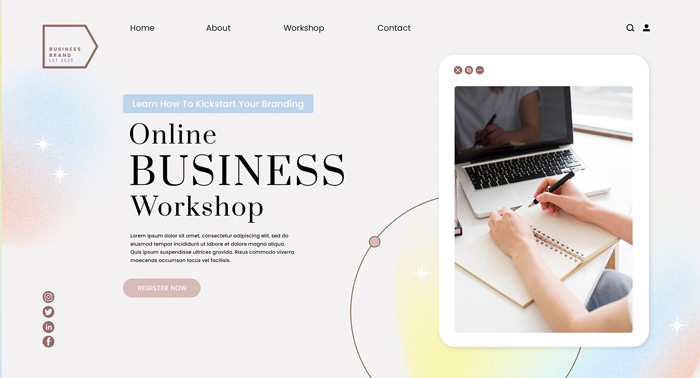
How to Choose Web Design Tools: Needs First, Trends Second
|
Tool / Approach |
Best Suited For |
Key Advantages |
Important Considerations |
|
UI Design Tools (e.g., Figma) |
Designing interface layouts, wireframing, and interactive prototyping |
Streamlines design asset organization, team collaboration, and UX testing |
Design files are not live sites; separate development and hosting are required |
|
Basic Visual Tools (e.g., Canva) |
Creating simple social graphics, presentations, or visual assets |
Beginner-friendly for rapid visual design generation |
Not a replacement for proper website design or a Content Management System (CMS) |
|
WordPress |
Content-heavy sites, blogging platforms, and highly scalable builds |
Vast ecosystem of themes, plugins, and self-hosted server flexibility |
Requires ongoing oversight of plugins, core updates, security, speed, and compatibility |
|
Visual Builders (e.g., Webflow, Framer) |
Custom visual layouts without heavy custom backend programming |
Empowers designers with visual canvas development and reduced manual coding |
Review official pricing, export capabilities, vendor lock-in, and feature limits |
|
Custom Code (HTML, CSS, JS, Frameworks) |
Projects with in-house technical teams or specialized complex requirements |
Maximum granular control over performance, architecture, and UI customization |
Demands ongoing engineering bandwidth for build, test, deployment, and security management |
Before choosing a tool stack, answer four key questions: Who will manage content updates? Are e-commerce or membership features required? Does your internal team have software engineering capabilities? Can you export and migrate your content if you change platforms later? Software pricing and feature tiers evolve, so evaluate current official documentation rather than outdated blog posts.
Should You DIY Your Website or Hire a Web Design Agency?
Both approaches can work. The right choice depends on your available time, technical complexity, and the cost of potential delays or errors.|
Evaluation Factors |
DIY Approach is Ideal If: |
Hiring an Agency is Ideal If: |
|
Website Scope |
Single landing pages, simple portfolios, or basic informational sites |
E-commerce, booking systems, membership portals, or multi-system API setups |
|
Time Investment |
You have dedicated bandwidth to master web tools and maintain content |
Your team needs dedicated professionals to handle complete execution |
|
Branding & UX Needs |
Standard website templates suit your needs with minor self-adjustments |
You require custom brand positioning, UX research, or unique user flows |
|
Post-Launch Duties |
You are willing to personally handle software patches, backups, and fixes |
You prefer SLA-backed maintenance contracts, hosting handoffs, and ongoing support |
Hiring an agency isn't always more expensive, nor is DIY inherently cheap. Always compute the Total Cost of Ownership (TCO): factor in design/development fees, content creation, platform/hosting subscriptions, third-party software licenses, internal staff hours, and long-term site maintenance.
Project quotes vary widely based on regional market rates, page counts, technical features, and deliverables. Avoid relying on generic price estimates without clear project context. When requesting proposals, insist on itemized scope details:
- Exact page templates, custom functionality, and review revision cycles included.
- Clarification on whether copywriting, graphic assets, localization, and SEO execution are included.
- Explicit breakdown of domain, hosting, CMS, and third-party plugin fee responsibilities.
- Intellectual property ownership rights, source file deliverables, and platform migration terms.
- Formal testing, Quality Assurance acceptance benchmarks, launch protocols, and warranty coverage.
- Post-launch maintenance terms, vendor SLA response times, and out-of-scope hourly rates.
Web Design and SEO: Essential Pre-Launch Checkpoints
Web design impacts how effectively search engines and users crawl, index, and engage with content. However, SEO success extends beyond aesthetics and page speed alone. Before publishing search-dependent pages, run through this pre-flight verification checklist:
- Align page content precisely with target search intent—avoid misleading titles that fail to deliver promised answers.
- Write unique Meta Titles and Meta Descriptions that clearly communicate user value.
- Structure content with clean H1-H6 heading hierarchies; avoid repetitive keyword stuffing.
- Ensure essential pages are discovery-accessible via intuitive internal linking and indexable crawl directives.
- Provide descriptive Alt text for informative graphics while using optimized modern image formats.
- Audit sitemaps, canonical tags, robots.txt directives, and HTTP response codes for technical errors.
- Validate full mobile usability to guarantee touch-friendly CTAs and accessible form elements.
- Utilize Google Search Console for crawl tracking while leveraging analytics data to evaluate true business conversions.
When implementing structured data markup, ensure schemas mirror visible page copy. Schema alone doesn't guarantee ranking boosts or AI search feature inclusion. While FAQs remain a great tool for addressing user queries, note that Google discontinued FAQ rich results support, so markup shouldn't be added solely for SERP feature manipulation. [4]
Common Web Design Pitfalls Beginners Should Avoid
Pitfall 1: Over-Prioritizing Homepage Aesthetics While Neglecting Content
Visitors don't visit sites just to admire graphic layouts; they come to evaluate your solutions, verify credibility, and determine next steps. Map out content strategy and user pathways prior to finalizing visual styles.
Pitfall 2: Treating Mobile Design as Just a Scaled-Down Desktop Site
Shrinking desktop layouts leads to unreadable typography, cramped navigation, and unclickable buttons. Always test designs on actual physical mobile devices and adjust information hierarchy accordingly without stripping critical core content.
Pitfall 3: Failing to State Value Propositions Above the Fold
First-time visitors must immediately understand what your brand offers, who it helps, and how to proceed within seconds. Use this as a practical design guideline, but validate effectiveness with real user testing rather than treating the "3-Second Rule" as a rigid law.
Pitfall 4: Over-Complicating Forms or Omitting Submission Feedback
Only request input fields essential for processing user requests. Upon form submission, instantly display clear success confirmation messaging and detail expected follow-up timeframes to prevent user confusion.
Pitfall 5: Assuming the Project Ends at Site Launch
Websites, CMS platforms, and security plugins demand ongoing maintenance. Assign dedicated operational owners for backups, security updates, copy revisions, and performance monitoring before going live.
Conclusion: Start by Defining the Core Problem Your Site Solves
Great web design isn't about picking a random template or adding trendy animations to the homepage. By starting with clear business goals, mapping audience needs, testing core user journeys, and choosing toolstacks aligned with technical resources, you prevent costly rework later.
If you are planning a website build, start with these three actionable steps: Document your core site objectives, list your mandatory visitor page journeys, and determine post-launch maintenance ownership.
If your scope is straightforward and you have time to learn, DIY platform building is a practical path. If your site directly drives revenue, involves complex backend features, or requires long-term maintenance, contact our expert team. We will provide a comprehensive website audit and strategic development roadmap to turn your site from a simple online presence into a high-converting digital engine!
Phone: 852-37499734
Email: [email protected]
WhatsApp: 63151000
Frequently Asked Questions About Web Design (FAQ)
Q1: How much does professional web design cost?
Web design costs vary based on page count, visual customization, custom features, content creation, tech stacks, API integrations, and maintenance scope. When requesting vendor estimates, provide a detailed feature list and ask for an itemized breakdown covering one-time setup costs, recurring hosting/software subscriptions, out-of-scope revisions, and ongoing support fees.
Q2: Can beginners build a website using WordPress or website builders?
Yes. If your functional requirements are simple and you are willing to learn basic content updates and site management, visual website platforms are suitable. If your site requires custom payment gateways, complex membership systems, dynamic booking tools, or custom API endpoints, clarify maintenance duties before choosing between DIY and professional development.
Q3: What is the difference between Responsive Web Design (RWD) and Mobile-First Design?
Responsive Web Design ensures a single layout fluidly adapts across varying screen dimensions. Mobile-First Design prioritizes the mobile experience first during initial planning and content hierarchy design. While closely related, they represent distinct methodologies. Always perform QA testing on actual mobile devices regardless of workflow.
Q4: Does web design impact SEO performance?
Yes. Web design directly affects how search engine bots and users crawl, parse, and engage with your site—influencing information architecture, mobile content integrity, heading hierarchy, internal linking, and rendering speed. However, rankings rely on numerous factors; Core Web Vitals scores alone do not guarantee top rankings.
Q5: Does a website require ongoing maintenance after going live?
Yes. Post-launch maintenance includes CMS core updates, security patches, site backups, link audits, form checks, performance monitoring, and content optimizations based on user behavior. Establish operational ownership, maintenance schedules, and budget allocations prior to site launch.
Q6: How do I choose a reliable web design agency?
Choose an agency that understands your commercial objectives and communicates clear workflows across design, engineering, QA testing, launch, and post-launch maintenance. Review real-world case studies similar to your business scope, and ask about their specific deliverables and results measurement metrics. Ensure proposals clearly itemize scopes, hosting obligations, IP ownership, and SLA support terms. Avoid providers guaranteeing top rankings or offering vague non-itemized quotes.
Q7: Does GEO require a separate "AI Search Keyword" strategy?
No. GEO should not be treated as a separate strategy relying on artificial keyword density tricks to guarantee AI search exposure. Focus on structuring crawlable content that directly answers user questions, provides authoritative sources, and demonstrates first-hand expertise. Generative search experiences evolve constantly; no single formatting trick guarantees AI citation inclusion.
References:
[1] Google Search Central: Google AI features and your website
[2] Google Search Central: Best practices for mobile-first indexing
[3] Google Search Central: Understanding Core Web Vitals and Google Search results
[4] Google Search Central: FAQ structured data documentation updates
MORE BLOG
-

Business Website Hosting Guide: 10 Key Questions to Ask
2026/09/23 Choose business website hosting by risk & stability, not price. Cover SLA, backups, RTO/RPO, scaling, security & migration. Includes checklist & templates. -
Hong Kong SME System Development Guide: How to Assess Needs, Control Costs, and Improve Workflows?
2026/09/18 Discover how Hong Kong SMEs can streamline workflows, evaluate SaaS vs. custom development, lower costs, and drive digital transformation effectively. -

iPhone Duo Foldable UI Design Guide: Enterprise App and Web Adaptation Key Priorities & Commercial Practices
2026/09/15 Master foldable UI design for Apple iPhone Duo. Learn state matrix, adaptive layouts, app continuity, and web optimization strategies with Arachne Group Limited.

